BR
Brown Walk
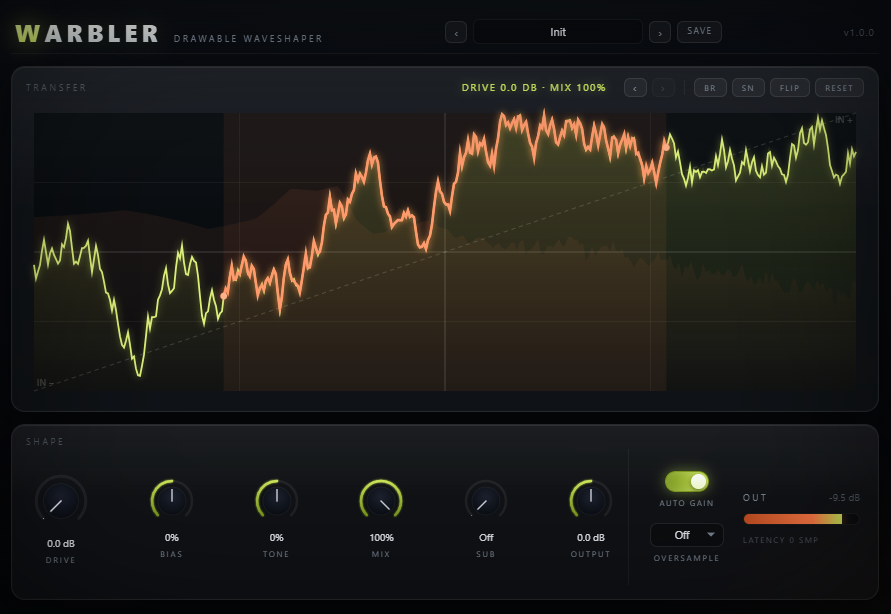
A bounded random walk (brown noise) redraws the whole curve — wild, unpredictable, never quite the same twice.
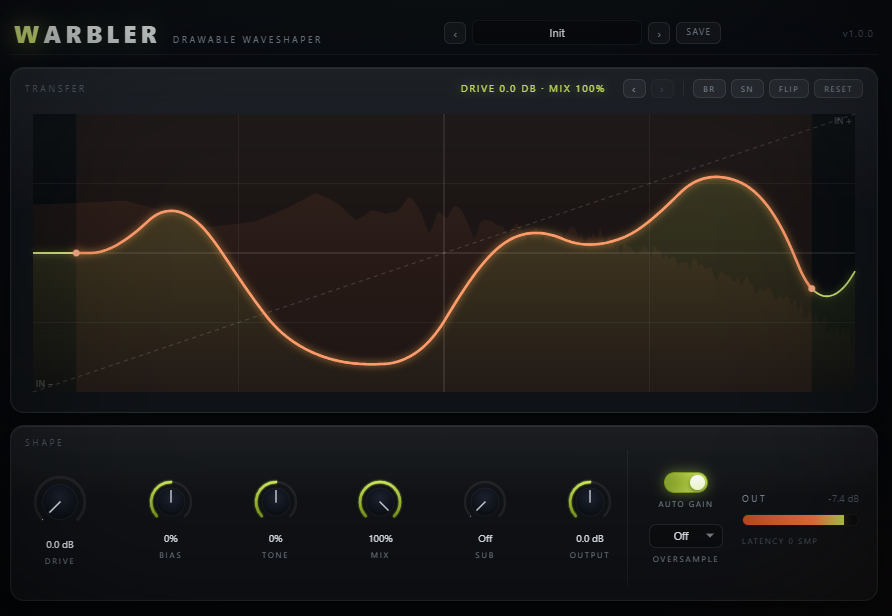
A 512-point transfer curve you shape by hand, with the whole Curlew drawing rig along for the ride — freehand draw, two randomizers, FLIP, RESET, and 5-step undo/redo. A Sub split keeps the low end out of the curve entirely, so you can draw as wild as you want up top.
Most waveshapers hide the transfer function behind a "Type" list. Warbler puts it front and centre: a 512-point curve you draw by hand becomes the exact input→output mapping the audio runs through — no interpretation, no approximation. The default identity ramp is a straight diagonal (bit-transparent); every shape you draw into it becomes a distinct flavour of harmonic distortion.
Named for the warbler, a bird that bends and reshapes its own song — Warbler bends yours. It's scaffolded from Curlew, so the whole hand-drawing rig comes for free: freehand draw, brown-noise and smooth-noise randomizers, FLIP, RESET, and a 5-step undo/redo history.
With the identity curve, Drive at 0 dB, Bias and Tone at 0, Mix at 100%, Sub off and Output at 0 dB, the wet path is x → x — Warbler only colours the sound once you draw or drive it. A Sub split keeps everything below your chosen frequency dry and untouched, so the most aggressive scribble never eats your low end.
The curve you see is the curve the audio thread reads. Every driven sample is clamped to ±1, looked up in the 512-point table with linear interpolation, and returned as the bipolar output — the same table the canvas draws from, read and written across the same bridge.
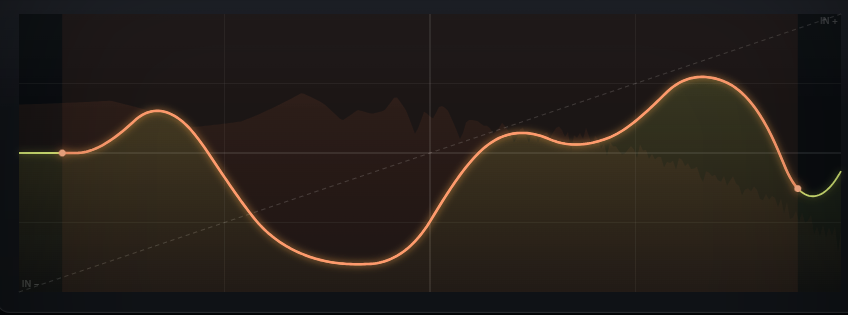
The table is fine-grained enough that hand-drawn curves stay smooth in playback — no stair-stepping between points you didn't intend to draw.
Sub split, Drive, Bias, Tone and the DC blocker are all linear or pre/post stages — only the table lookup is nonlinear, so only it needs oversampling.
Draw, randomize, flip or reset — every change is snapshotted so you can step back through the last five generations and forward again.
The curve on screen is fetched straight from the processor's own state — what you see drawn is exactly what the shaper reads.
Click and drag directly on the curve to draw. When you want a starting point instead, four tool chips reshape the whole table in one click.
A bounded random walk (brown noise) redraws the whole curve — wild, unpredictable, never quite the same twice.
Interpolated noise slewed and soft-driven toward the rails — a more musical, rounder random shape than the brown walk.
Flips the curve vertically (output → −output) — an instant, exact inversion of whatever you've drawn.
Back to the clean identity diagonal in one click — the transparent starting point for a new drawing.
The ‹ › chips step back and forward through your last five curve generations — draw something you like, try BR on top of it, and undo straight back if it wasn't an improvement. Loading a session, project, or preset starts undo/redo fresh; it doesn't inherit history from wherever you were before.
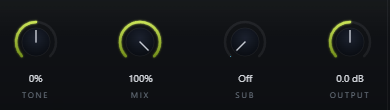
Everything below the Sub frequency is peeled off before the curve, kept fully dry, and added back afterward — the most violent hand-drawn curve can't touch it.
Turn Sub down to Off and the crossover is bypassed entirely — the whole signal runs through the curve, useful when you want the low end to distort too.
Dial Sub to sit just above the note you're playing so only the harmonics above it get drawn into the curve.
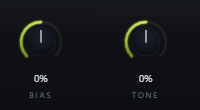
Bias offsets the signal before it hits the curve, so the table gets read off-centre — the same drawn shape suddenly produces even-harmonic, tube-like warmth instead of a symmetric response.
Tone tilts the wet signal dark or bright after the curve, taming or brightening whatever harmonics your drawing generated — without touching the curve itself.
Bias and asymmetric curves inject DC offset; a ~5 Hz one-pole high-pass removes it from the wet path automatically, well below any musical sub content.
Drive and Bias feed the curve; Tone, Auto Gain, Mix and Output finish the blend; Sub and Oversample are there when you need them.
Input gain into the drawn curve — 0 dB reads the table at unity.
Pre-shape DC offset — reads the curve asymmetrically for even-harmonic warmth.
Post tilt EQ, dark ↔ bright — tames or brightens the new harmonics.
Parallel dry/wet blend.
Keep-low crossover. Off turns the split off — full-band shaping.
Output trim for level-matched comparisons against bypass.
Compensates the wet path for Drive, on by default, so pushing Drive changes character, not just loudness.
Off by default (zero latency, zero extra CPU). Reach for it on aggressive curves or high notes; latency is reported honestly when engaged.
Applying a preset resets every parameter to default first, then draws its own curve and dials in its own settings, so recall is always clean. The bass-leaning presets set Sub to keep the low end intact.
The clean identity diagonal — the drawing starting point.
A soft tanh curve for gentle, musical warmth.
Aggressive hard-clip curve with output trimmed to match.
A wave-folded curve with Sub engaged for a low-end growl.
A denser fold with bright Tone for a metallic edge.
Asymmetric tube-style curve with Bias dialed in for even harmonics.
A staircase curve for a lo-fi, quantized character.
High-drive soft saturation with Sub protecting the fundamental.
A grinding tanh-plus-ripple curve built for Reese-style bass.
High Drive blended back with Mix for parallel-style saturation.
A diode-rectifier curve with Bias for extra buzz.
A wobbling curve that adds a vowel-like formant character.
A dead-zone curve for a gated, buzzing crossover-distortion character.
The densest fold, pushed hot and blended in with Mix for full chaos.