Magpie.
Find the one you're thinking of.
Point it at the folders where your projects live. It reads every .als you own and gives you one searchable view of tempo, plugins, version history, backups and your own notes — without touching a single file.
Your music never leaves your computer.
Magpie is a librarian, not a cloud service. It reads your project files to build an index, and that index stays on your machine. There is no account inside the app, no sync, and nothing reported back to us. Magpie makes exactly one network request in its entire life — the update check you press yourself — and it asks permission first, every time.
It only goes online when you ask
Magpie makes no network request of its own accord: no telemetry, no analytics, no licence check, no background poll, nothing on launch. The single exception is the Check for updates button in the status bar. Press it and a dialog appears first — every time, with no way to switch it off — saying exactly what is about to happen. Accept, and Magpie asks our server one question: what is the current version? Nothing travels with it. Not your version, not your platform, not a project name, not an identifier of any kind — your own machine does the comparing. Leave the button alone, or block Magpie at the firewall, and everything else works identically with your Wi-Fi switched off.
Nothing is reported to Audubon Audio
We never receive your project names, folder paths, plugin lists, tempos, notes or anything else — not in aggregate, not anonymised, not ever. There is nothing to opt out of: the update check is the only request the app can make, and none of that rides along with it.
It makes no copies of your music
Magpie never copies, exports, uploads or duplicates audio. It does not open your samples, stems or renders at all — only the .als project file, which it opens to read and then closes.
Your files are never touched
It does not write, move, rename, tidy or delete anything inside a folder you point it at. It catalogues where each project lives and what is in it — location, tempo, plugins, versions, backups — and that catalogue is the only thing it keeps.
The index lives in two small files in your own user-data folder, well away from your projects. Delete them and Magpie forgets everything it learned; your projects are untouched either way. The only place an account is involved is this website — you sign in here to download the build, and the app itself never asks who you are.
Six years of projects. One list.
You know the session exists. You remember it was around 140, you remember using Serum on it, and you are fairly sure it is on the old drive. What you do not remember is what you called it.
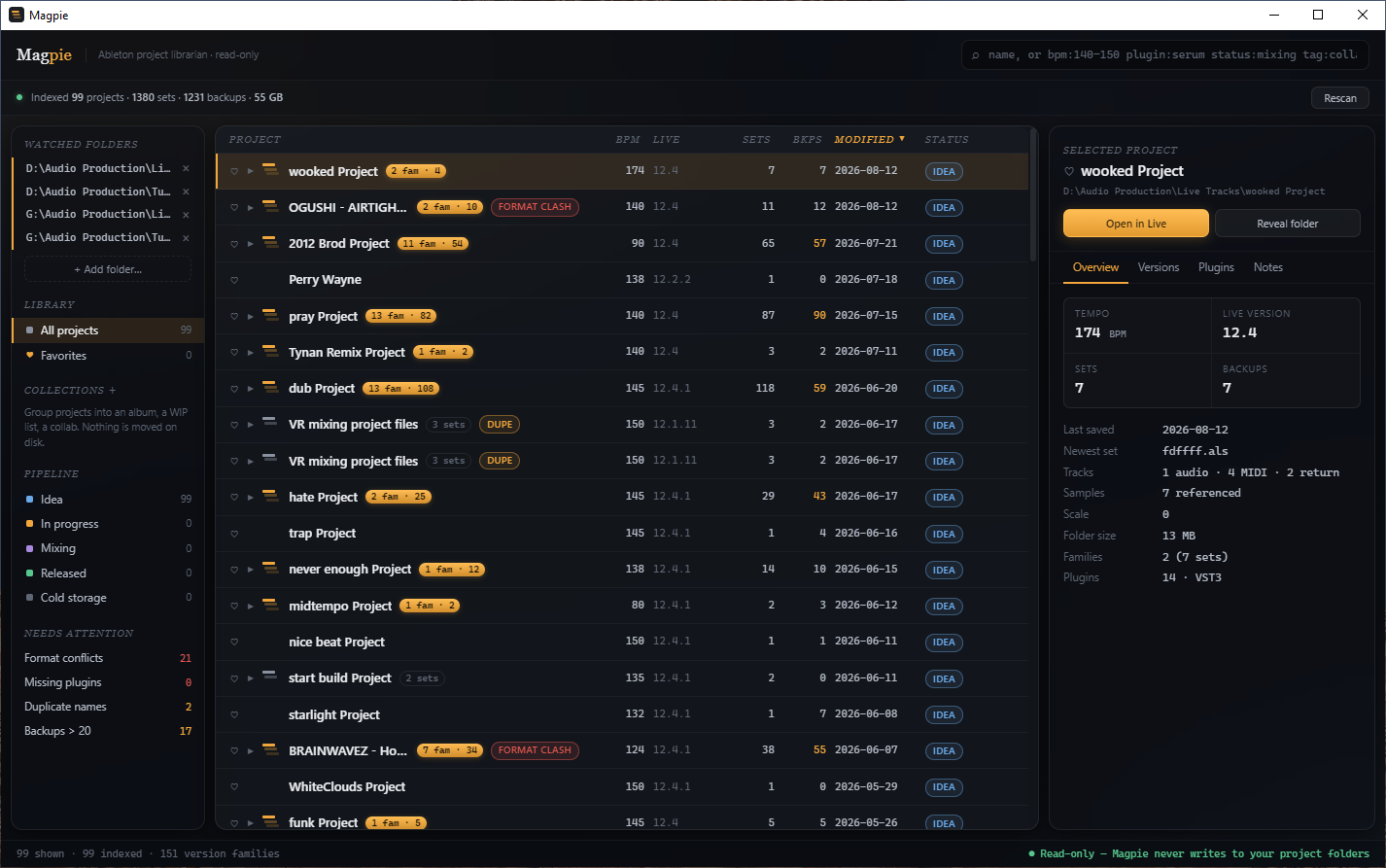
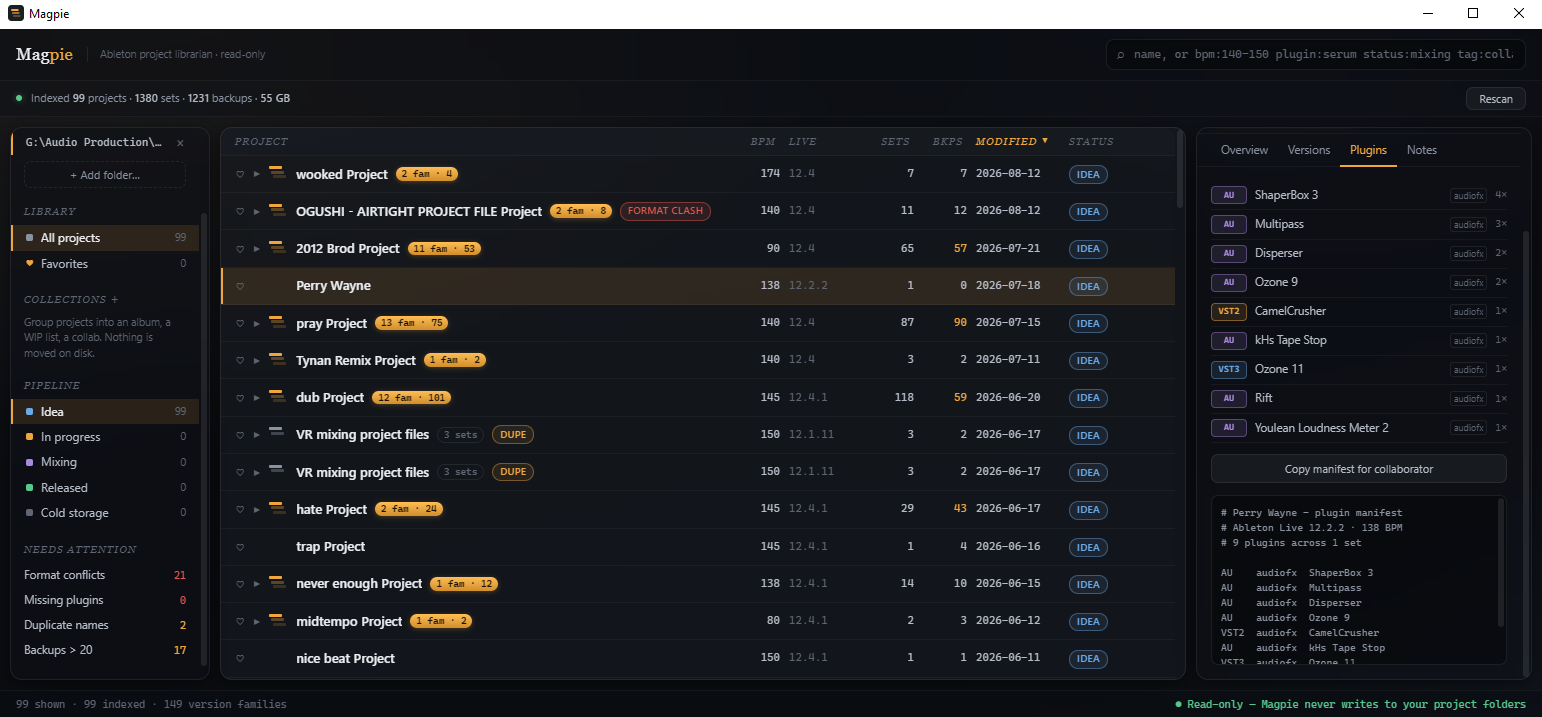
Magpie indexes every Ableton project folder you point it at and turns the pile into something you can actually search. Tempo, Live version, track counts, every plugin used, how many backups exist, when it was last saved — all read straight out of the set file, all sortable, all in one window.
It is the tool for the moment when your library outgrew your memory of it.
It never touches your projects. At all.
A librarian that rearranges the shelves is not a librarian. Magpie opens your set files to read them and stops there.
Everything Live records, pulled back out.
An .als is gzipped XML. Magpie parses it directly, verified against every Live release from 8.2.7 to 12.4.1.
<Manual>, Live 8 in a <FloatEvent>. Both are handled, so an old set reports its real tempo instead of a blank.Backup/ folder, and when it was genuinely last saved.Twelve files. One song.
Nobody names project versions tidily. Magpie reads the habit rather than demanding you fix it.
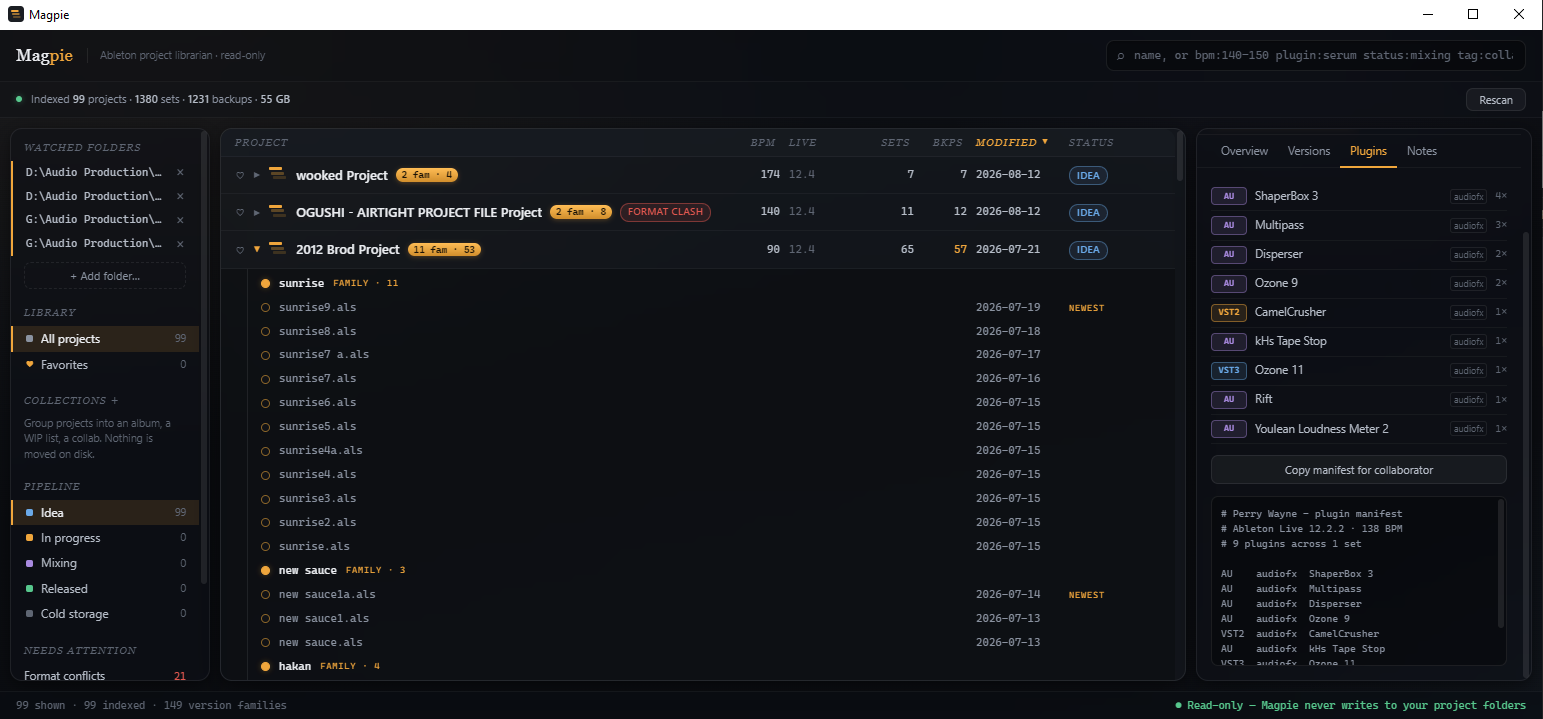
song1, song2, song3 collapse into a single expandable row, newest save first. So do lone letters (song a), digit-and-letter (song 6b), v-prefixes (v3), parenthetical copies (song (2)), and words like final, master and copy.
A second pass folds longer names into the shorter one they extend — Cybernetic Duck 4 basses match joins Cybernetic Duck — but only when the shorter set actually exists in the same folder. It is deliberately conservative: a version scribble merges, while bassline never disappears into bass.
And when the rules guess wrong, drag one set onto another family to pin it, or out on its own. Manual placement is stored per file and applied last, so it always wins and it survives rescans and restarts.
Your own order, on top of what's on disk.
Releases → Album One, WIP, Collab. A parent shows everything in its children, and a project can live in several at once.
A heart on every row and a Favorites view in the sidebar, for the fifteen projects you actually return to.
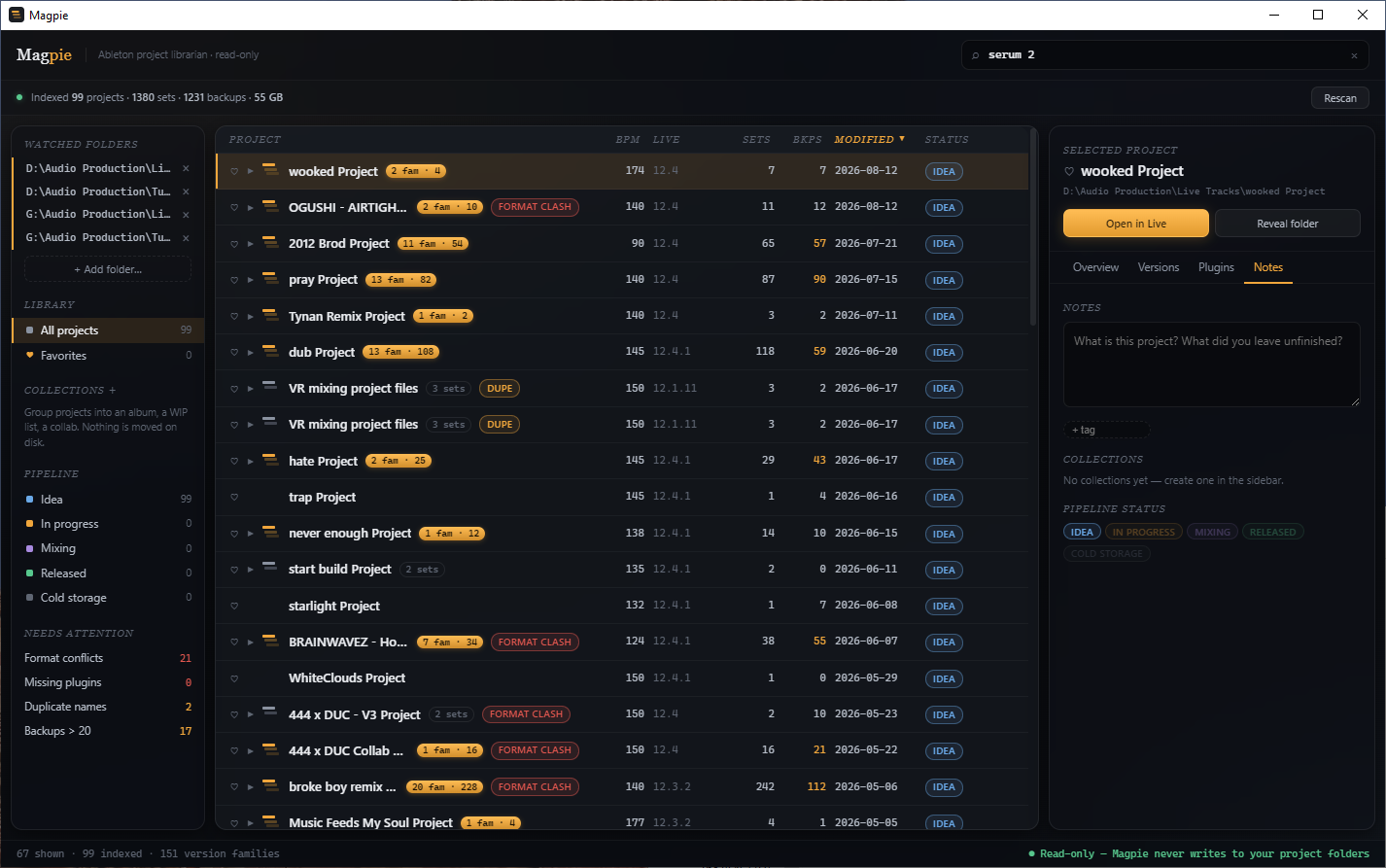
Per project. Mark what's finished, what's waiting on a vocal, and what that folder name was ever supposed to mean.
All, Favorites and every collection are the same sortable table. Click a header to sort, click again to reverse.
Point it at a folder. That's the setup.
Everything, on one page.
| Platforms | Windows 10/11 64-bit · macOS 11 Big Sur and later |
| macOS architecture | Universal — Apple Silicon and Intel in one build |
| Live versions read | 8.2.7 through 12.4.1 |
| File access | Read-only. Never writes, moves, renames or deletes inside a watched folder |
| Network | One request, and only when you press Check for updates — after a confirmation, carrying nothing that identifies you. Nothing automatic, nothing on launch |
| Index location | OS user-data directory, outside your project folders |
| Ableton required | Not to browse. Only to open a project once you have found it |
| Licensing | Free. No serial, no activation, no online check |
| Signing | macOS build is signed with Developer ID and notarized by Apple |
| Version | 0.3.0 (Windows) · 0.2.2 (macOS, 0.3.0 to follow) |
Before you install.
.dmg and drag Magpie to Applications — that is the whole install..als files. It does not index Logic, FL, Bitwig or Pro Tools sessions.Microsoft Defender SmartScreen prevented an unrecognised app from starting. Running this app might put your PC at risk.
It appears once, on first run, because the installer is not code-signed yet. It is what Windows shows any new program from a developer it has not seen enough times — it says nothing about what is in the file. The macOS build is signed and notarized because that certificate is already paid for; the Windows one is a separate yearly cost we have not taken on while Magpie is free.
Prefer to skip the box entirely? Before running it, right-click the downloaded .exe → Properties → tick Unblock at the bottom → OK. Windows then treats it as a local file and never shows the warning.
Requirements, licence and where your data lives.
.als files only. Logic, FL Studio, Bitwig, Reaper and Pro Tools sessions are not indexed.library.json holds the watched folders and the scanned index; meta.json holds everything you typed — status, notes, tags, favorites and collections.library.json from disk and does not touch meta.json. Re-indexing from scratch cannot lose a note you wrote. Both files are written temp-file-then-rename, so an interrupted write cannot truncate the real one.bpm:, plugin:, live:, format:, status:, tag:), the detail panel and collaborator manifest, collections and the pipeline, and the Needs Attention filters — plus five workflow recipes.