Download Kestrel-v1.1.0-windows-VST3.zip from your Members Area and unzip it. Inside is Kestrel.vst3 — a folder, which is normal for VST3.
Windows: move Kestrel.vst3 into C:\Program Files\Common Files\VST3 — Windows may ask for administrator permission, accept it. macOS: run the .pkg installer instead, which puts the Universal build (Apple Silicon and Intel) in /Library/Audio/Plug-Ins/VST3 for you. Full step-by-step for both: the VST Install Guide.
Rescan plugins in your DAW (in Ableton Live: Options → Preferences → Plug-Ins → Rescan). Kestrel appears under Audubon Audio.
The first time you open Kestrel it asks for your serial — it is in your Members Area, tied to your email. Paste it, activate, done. Without a serial the plugin runs in demo mode: full features, with the audio dipping to silence periodically.
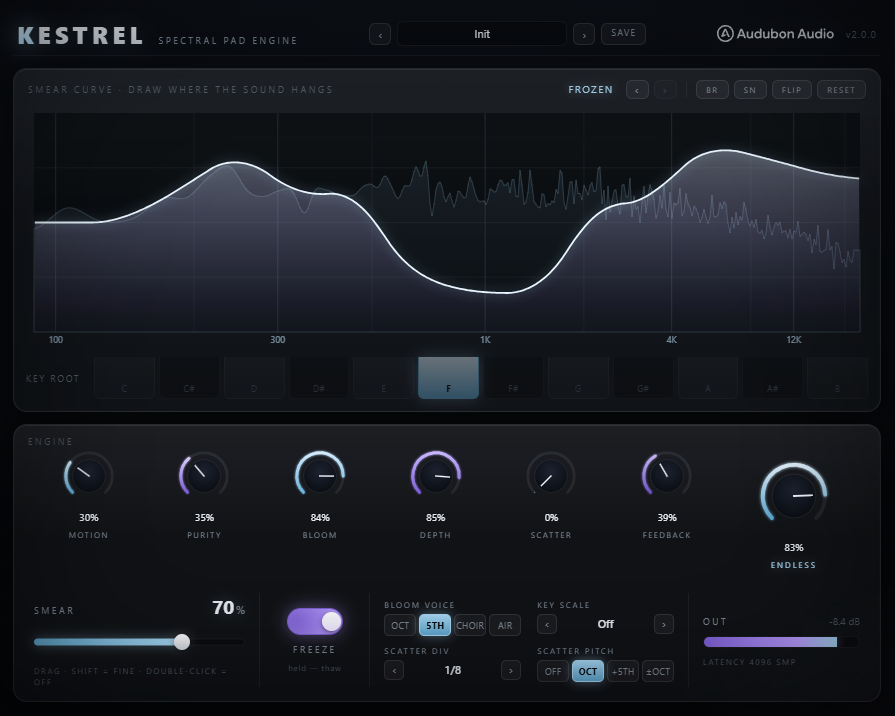
The main display is a drawable curve on a hand-calibrated log-frequency axis — the same editor as Curlew and Loon. It sets how much each part of the spectrum hangs. Draw it low where you want the sound to stay tight and moving, high where you want it to freeze and bloom.
BR is a brown-noise walk, SN a smoother random curve, FLIP inverts, RESET returns to default. Five steps of curve undo.
Harmonics are added in key against the global key setting, so what grows stays consonant with the track rather than spraying across the spectrum. The granular glitch delay scatters held material in time. The reverb is one knob, from a room to a tail that never closes.
The cost is latency, which the plugin reports to your DAW for delay compensation.