The default. Complementary split, exact sum, zero latency, zero phase rotation. The upper side of each split is the complement of the lower, so it is not a symmetric slope — that is the price, and the sum is flat regardless.
The satin bowerbird collects things and arranges them into a built structure. This one collects your VST3s and arranges them into a frequency-split rack: one to five bands, up to three plugins in each, dragged between bands with the mouse. Bowerbird ships no effects of its own — it is pure infrastructure, and it is built around a single hard promise. With nothing loaded, it is inaudible. At any band count.
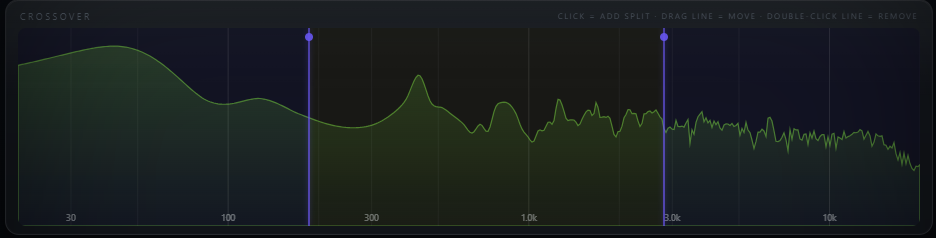
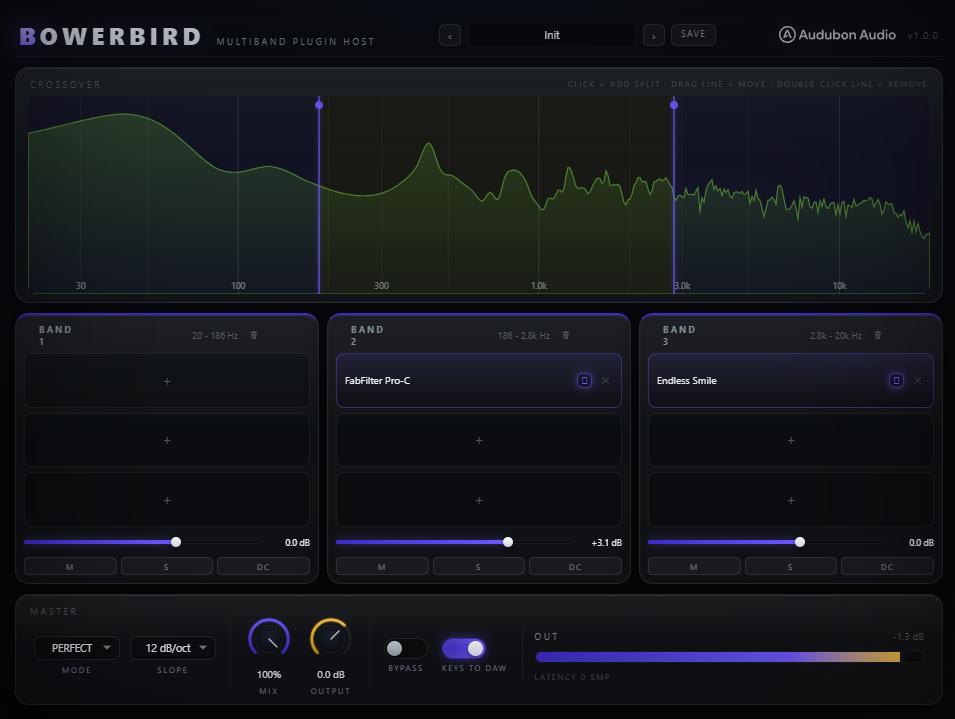
Click the spectrum to add a split. Drag the split line to move the crossover. Drop a plugin into a band and it only ever sees that band. Every other multiband tool in our catalog brings its own DSP; Bowerbird brings none at all. It is the frame, and your collection is what goes in it — a saturator on the mids only, a linear-phase EQ on the top only, a chorus above 800 Hz that never touches the sub.
Most multiband splitters quietly change your signal before you have done anything with them. Bowerbird does not, and that is the whole design. The band sum equals the input by algebra rather than by filter design — so it holds at one band or five, at any crossover frequency, at any slope, and it keeps holding while you drag a split line mid-playback.
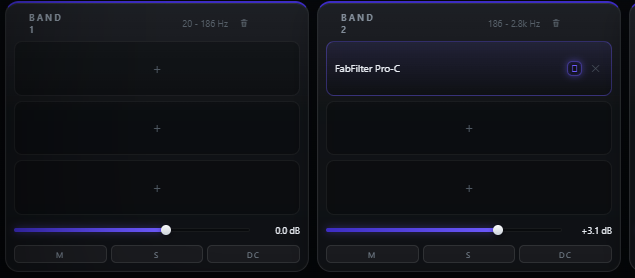
Each band has its own level, mute and solo, and an opt-in DC filter that is off until you ask for it. There is no master saturation stage, no auto-gain, no output clipper, no dither and no DC blocker in the default path — nothing that would put a thumb on the signal behind your back. The only things that colour the sound are the plugins you loaded.
A Linkwitz-Riley pair — what almost every multiband tool splits with — sums to an allpass, not to unity. The magnitude is flat but the phase is rotated, and the rotation changes with how many bands you are running, so a three-band setup is not the same signal as a one-band setup. Bowerbird splits a different way, and the difference is checked by two independent harnesses before any build ships.
Each band is a lowpass of what is left, and the last band is the remainder. The bands telescope, so their sum is the input by arithmetic — not by a filter pair that happens to add up. Residual against dry measures −138 to −150 dBFS in float32, which is rounding error and nothing else.
When every band is empty, at unity gain, unmuted, unsoloed and un-DC-filtered, the splitter does not run at all — the input is copied straight to the output. Entering and leaving that state crossfades over 10 ms, so loading your first plugin does not click.
The impulse response peaks at sample zero: the crossover itself adds no delay and no phase rotation at any band count. Bowerbird reports whatever its hosted plugins need and nothing more — with an empty rack, that is zero.
Because the identity is per-sample arithmetic rather than a filter design, it holds under moving coefficients too. Sweeping a split between 120 Hz and 4 kHz at 3 Hz while audio plays measured −144.5 dBFS against dry. You can move a crossover live without hearing the crossover.
Perfect reconstruction, zero latency and textbook symmetric band slopes cannot all be had at once with IIR filters — you pick two. Bowerbird picks reconstruction and latency by default, and offers the classic behaviour as an explicit, clearly labelled choice for the times you want it.
The default. Complementary split, exact sum, zero latency, zero phase rotation. The upper side of each split is the complement of the lower, so it is not a symmetric slope — that is the price, and the sum is flat regardless.
True LR4 pairs with the textbook symmetric band shapes most multiband tools give you. It rotates phase and does not null — that is what LR4 does. Off by default, and allpass-compensated so the sum stays magnitude-flat even at five bands.
6, 12 or 24 dB/oct, default 12. In Perfect mode the setting governs each split's lower band, so steeper means a tighter low band — and, as the complement, a leakier upper one. 12 is the balance point.
Click empty space on the spectrum to add a split, double-click a line to remove it. Splits are mutually constrained so bands cannot cross or collapse, and adding or removing one rebuilds the filter tree off the audio thread and crossfades it in over 10 ms.
Each band column holds three slots that run in order. Drag a loaded slot onto another to swap it, onto a gap to insert it, or onto a different column to move that plugin to another band. A full band rejects a fourth with a shake rather than silently dropping it.
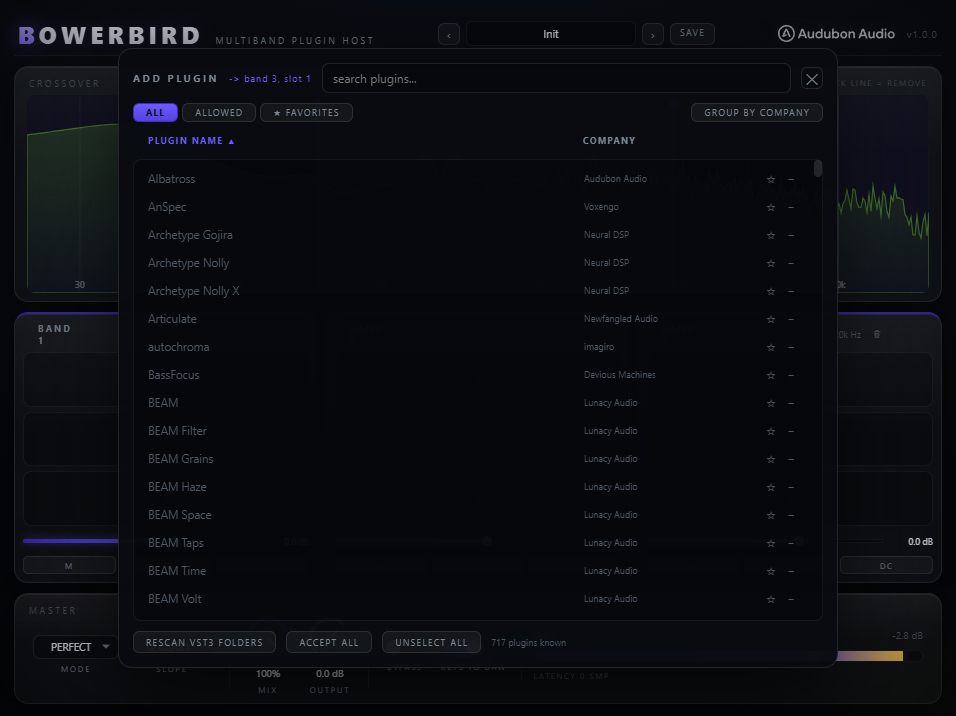
One shared scan for the whole plugin, cached to disk and reused by every Bowerbird you open. Scanning is manual and incremental — it never runs when you just open the plugin — and a VST3 that crashes the scan is caught by a breadcrumb file and blacklisted on the next launch.
Click a loaded slot and the hosted plugin's own editor opens in its own floating window, remembering where you left it. Closing it destroys the editor rather than hiding it, so nothing keeps holding GPU resources behind your back.
Put a linear-phase EQ on the mids and a wire on the lows and, without compensation, the bands sum out of time and the reconstruction falls apart. Bowerbird sums each band's hosted latency, delays every other band to match, and reports the total to your DAW.
Plenty of plugins change their reported latency when you flip them between linear and minimum phase. Bowerbird polls every hosted instance five times a second and, when one moves, recomputes the delay set, crossfades to it and tells the host to redo its compensation.
If a hosted plugin exposes a VST3 bypass parameter, Bowerbird sets that one — it keeps reporting its latency and the band stays aligned. Only a plugin with no bypass parameter gets routed around, and then its latency comes out of the band and the delays are recomputed to match.
Every hosted plugin's own state is saved into your project, and plugins are found again by both file path and unique ID so moving one does not lose it. Uninstall a plugin and its slot shows as missing while holding on to the settings — install it again and they come back intact.
The band count and the four splits set the frame; per-band level, mute, solo and DC filter set the balance; mode, slope, mix and output finish it. Every default is a do-nothing setting.
How many bands the spectrum is split into. Changed at runtime, crossfaded in over 10 ms, and the null holds at every setting.
The crossover points, log-mapped and mutually constrained so bands cannot cross. Drag them on the spectrum; they smooth so dragging does not zipper.
Per-band level, smoothed over about 5 ms. At 0 dB the band is passed at unity, which is one of the conditions for the bit-exact bypass path.
Drops a band out of the sum. Useful for hearing exactly what one band contains before you process it.
Listens to one band alone, including whatever is loaded into it. Solo any number of bands at once.
An opt-in 5 Hz highpass per band, for when a hosted plugin injects DC offset. Off everywhere by default — a permanent highpass would break the null.
Complementary split that nulls, or allpass-compensated LR4 with symmetric slopes that does not. Classic is a deliberate opt-in to hearing phase rotation.
The rolloff of each split's lower band. Steeper tightens the band below and loosens the band above; 12 is the balance point and the default.
Blends against the true input, latency-aligned — not against a phase-matched copy of it. At 0 % the output is your dry signal.
Master trim after the sum, for level-matched comparisons against bypass.
Whole-plugin bypass. Returns the input unchanged while the rack keeps its state and the host keeps its latency compensation.
The power icon on a loaded slot. Prefers the hosted plugin's own VST3 bypass parameter so its latency, and your band alignment, stay put.
A plugin host has real constraints, and burying them would only cost you time later. These are the four worth knowing before you buy.
Hosted plugins run inside Bowerbird, inside your DAW. That means a third-party plugin that crashes can take the DAW down with it — the same exposure you already have loading it directly, but worth stating plainly. True isolation needs out-of-process audio, which is a large subsystem and is not in 1.0. Scan crashes are mitigated: a breadcrumb file catches the offender and blacklists it on the next launch.
Your DAW cannot automate a hosted plugin's parameters through Bowerbird in 1.0. Automate inside the hosted plugin's own editor instead. Doing this properly means dynamic parameter allocation, which VST3 handles badly and most DAWs handle worse — a fixed pool of assignable macros is the planned answer.
Bowerbird hosts VST3 plugins — no VST2, no AU, no CLAP in 1.0 — and runs stereo in, stereo out. Every hosted chain is negotiated to stereo; a plugin that cannot do stereo is reported in the slot and refused rather than silently mis-routed.
Dragging a .vst3 file from a folder onto the window needs a native drop target layered over the interface, and it is not in 1.0. The in-plugin browser covers the same ground: open a slot, search, load.