What Oriole does: Oriole is a harmonic exciter for bass. Unlike distortion, it never reshapes the signal in place — it generates new harmonic content from a side-chained copy of the input and adds it back in parallel, so the dry path stays pristine. Three zones do the work: Sub is never excited, Girth adds even-harmonic weight for bass translation on small speakers, and Air runs the main Aphex-style exciter above a crossover you set. Everything runs at zero latency.
Interface Overview
1
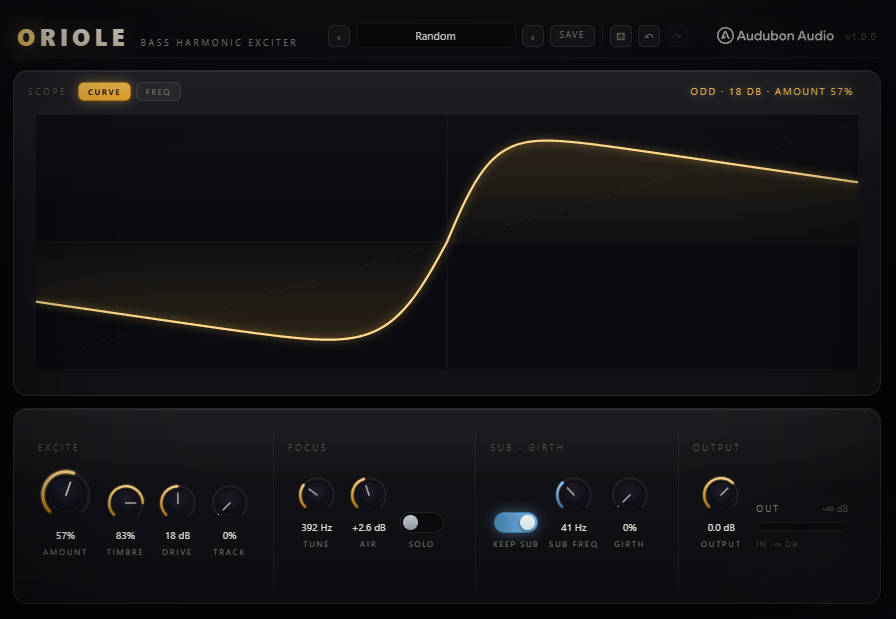
CURVE & FREQ Views
Two view chips switch what the display shows.
CURVE
Transfer function
The live harmonic-generator curve — the JS mirrors the actual DSP exactly.
FREQ
Spectrum
The output spectrum with the protected sub shaded in ice, the Girth band and excited Air region highlighted in gold, and the Air shelf overlaid.

2
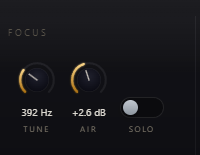
The Air Exciter
The main harmonic generator, active above Tune.
Amount
0 – 100%
Level of the generated Air harmonics added on top of dry.
Drive
0 – 36 dB
Pushes the side-chain harder into the generator for more and higher harmonics.
Timbre
0 – 100%
Generator asymmetry — 0 is even-harmonic and warm, 100 is odd-harmonic and bright.
Tune
100 Hz – 9 kHz
The crossover above which the exciter generates harmonics at all.
Air
0 – 6 dB
A 10 kHz high-shelf of sheen on the generated harmonics.
Solo
On / Off
Monitor only the manufactured harmonics — great for dialling in Timbre and Drive.
3
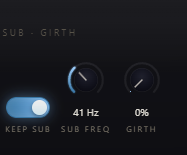
Girth
Even-harmonic weight added to the low band, for bass that translates to speakers that can't reproduce the fundamental.
Girth
0 – 100%, default 0%
Off by default — an opt-in translation trick, not a default coloration.
4
Keep Sub & Sub Freq
The sub-protection controls, on by default.
Keep Sub
On by default
High-passes the generated harmonic sum at Sub Freq before adding it back.
Sub Freq
20 – 200 Hz
Both the sub-protect corner and the lower edge of the Girth band.
5
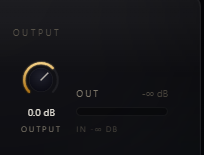
Output
Final trim after everything else.
Output
−24 to +12 dB
For level-matched comparisons against bypass.
Typical Workflow
A
Insert and Protect the Sub
Insert Oriole on a bass or drum bus. Set Sub Freq to match your track's fundamental and leave Keep Sub on.
B
Dial In the Air Exciter
Raise Amount and Drive, and use Solo to hear only the generated harmonics while you set Timbre and Tune.
C
Add Girth If It Needs to Translate
If the track needs to read on small speakers, bring in Girth gradually — it's off by default for a reason.
D
Finish with Air and Output
Add a touch of Air for top-end sheen, then trim Output to match bypass level for a fair comparison.