Video Walkthrough
Eight ADAA-antialiased waveshaper curves, a reactive Dyn/Sag/Tilt drive stage, and two independent ways to keep your sub weight intact while you drive it hard. · Watch on YouTube ↗
What Jackdaw does: Jackdaw is a waveshaping distortion built for bass. Distortion normally eats the sub weight a bass patch lives on, so Jackdaw gives you two independent, mix-safe ways to keep the low end intact — Sub Preserve splits it around the distortion entirely, and Post HP/LP clean up the distorted band before the sub returns. Every curve runs through zero-latency antialiasing (ADAA), so you get eight clean waveshaper characters without needing to oversample. Since v1.1 the drive stage can also react to your playing: Dyn tracks the envelope, Sag drifts warm on sustains, and Tilt aims the drive at the part of the spectrum you choose.
Interface Overview
1
WAVE, CURVE & FREQ Views + DELTA
Three view chips at the top switch what the display shows, and the DELTA chip switches what you hear.
WAVE
Live waveform
The dry signal as an ice-blue ghost against the shaped output in ember — watch the clipped top ride the intact sub when Keep Sub is on.
CURVE
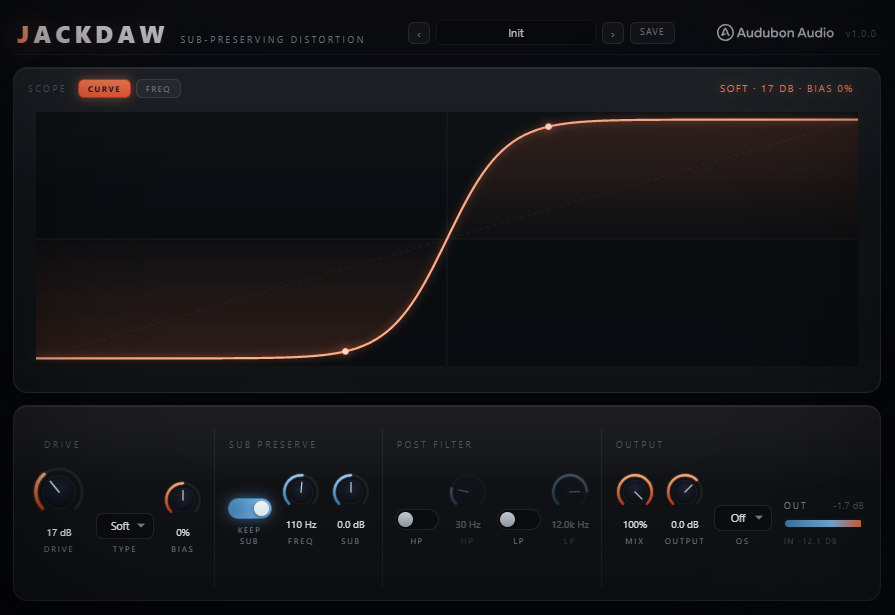
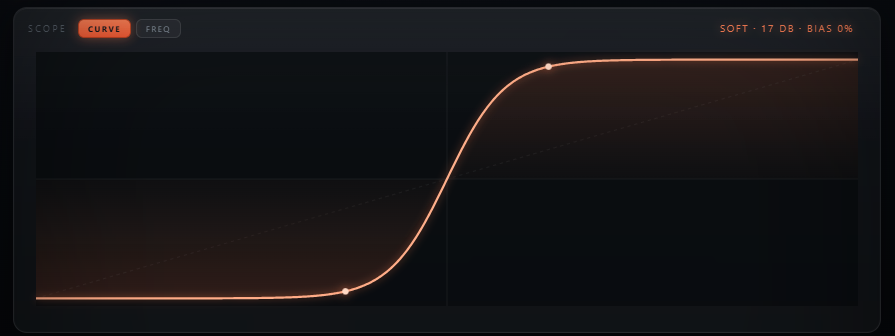
Transfer function
The live waveshaper curve for the current Type and Bias — the code that draws it is the same code that processes the audio.
FREQ
Spectrum
The output spectrum with the protected sub region shaded and the Post HP/LP responses overlaid.
DELTA
Monitor toggle
Listen to wet-minus-dry: exactly what Jackdaw is adding. With Keep Sub on, notice the delta contains no sub — that's the whole point, audible.

2
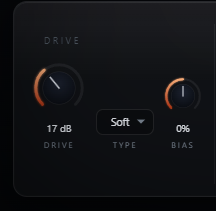
Drive, Type & Bias
These three controls define the distortion's core character.
Drive
0 – 48 dB
Pre-gain into the shaper — how hard the curve is pushed.
Type
8 curves
Soft, Tube, Diode, Fold, Sine, Hard, Density, Stair — each a distinct harmonic signature. Stair (new in v1.1) is a hard six-step staircase with dense metallic spray.
Bias
−100 to 100%
Pushes the curve asymmetric for even-harmonic content. Transparent at 0, DC-blocked otherwise.
3
Dyn, Sag & Tilt — the Reactive Stage
New in v1.1. Three Character controls make the drive respond to your playing. Each is an exact no-op at zero.
Dyn
−100 to 100%
Envelope-tracked drive. Positive: note fronts stay clean and tails bloom into growl — reeses open up as they sustain. Negative: the attack gets the spit instead.
Sag
0 to 100%
Slow bias drift charged by loud sustains (~300 ms), like a pedal's supply sagging. Long notes drift warm with even harmonics; short hits never charge it.
Tilt
−100 to 100%
±6 dB tilt around 700 Hz into the shaper, exactly inverted after it. Positive drives the mids/highs harder (the classic neuro move); negative leans on the low-mids. The balance comes back — the character changes.
4
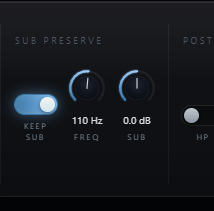
Sub Preserve
Flip Keep Sub on for bass work — it splits the input with an LR4 crossover so only the band above Sub Freq gets distorted.
Sub Preserve
On / Off
The untouched sub is added back after distortion, phase-coherent across the whole Mix range.
Sub Freq
40 – 300 Hz
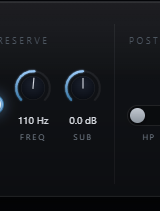
The crossover point. Set it just above your track's fundamental.
Sub Gain
−12 to 12 dB
Boosts the preserved sub back in, independent of Drive.
Sub Mono
On / Off
New in v1.1: folds only the protected sub lane to mono — club systems and vinyl are mono down low. The top stays wide. Off by default.
5
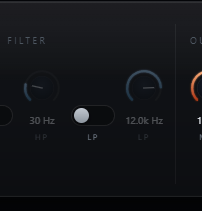
Post HP / LP
Gentle 12 dB/oct filters that clean up the distorted band before the sub is re-added — off by default.
Post HP
20 – 500 Hz
High-passes the distortion's low mud without touching the preserved sub.
Post LP
1 – 20 kHz
Low-passes the distorted band to tame fizz on top.
6
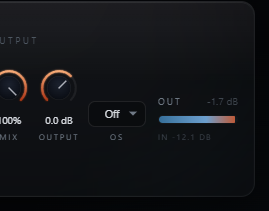
Mix, Output & Oversampling
The final blend and an optional extra layer of antialiasing.
Mix
0 – 100%
Dry/wet blend. At 0%, output is bit-transparent bypass.
Output
−24 to +12 dB
Final trim for level-matched A/B against bypass.
Oversampling
Off / 2× / 4× / 8×
Stacks on top of ADAA for extreme drive. Off by default — latency reported honestly when engaged.
Typical Workflow
A
Insert and Pick a Curve
Insert Jackdaw on a bass or drum bus and flip Keep Sub on so the low end is protected from the start. Pick a Type and raise Drive.
B
Set the Crossover
Set Sub Freq just above your track's fundamental so only the harmonics above it get distorted, and use Sub Gain to bring the preserved sub back to taste.
C
Clean Up with Post Filters
Check the FREQ view — if the distorted band needs cleanup, turn on Post HP or Post LP. Both apply only to the distorted band, never the preserved sub.
D
Make It React
Push Dyn positive so reese tails bloom while the attacks punch clean, add Sag so long notes drift warm, and use Tilt to aim the drive at the mids. Hit DELTA any time to hear exactly what you're adding.
E
Add Bias and Finish
Add Bias for even-harmonic warmth and watch the CURVE view shift asymmetric. Balance with Mix, trim Output, and reach for Oversampling only when pushing the hardest curves at extreme Drive.