What Grackle does: Grackle rings tuned resonance at whatever notes you light on its built-in 12-key chroma keyboard. A Focus crossover keeps everything below it fully dry, so the sub never gets resonated — the plugin runs at zero added latency at every setting. Color morphs each voice from glassy and harmonic to metallic and bell-like, and the resonance is played-through: it rings only when your source has energy near a lit note, like a resonant EQ that sings.
Interface Overview
1
Spectrum & Chroma Keyboard
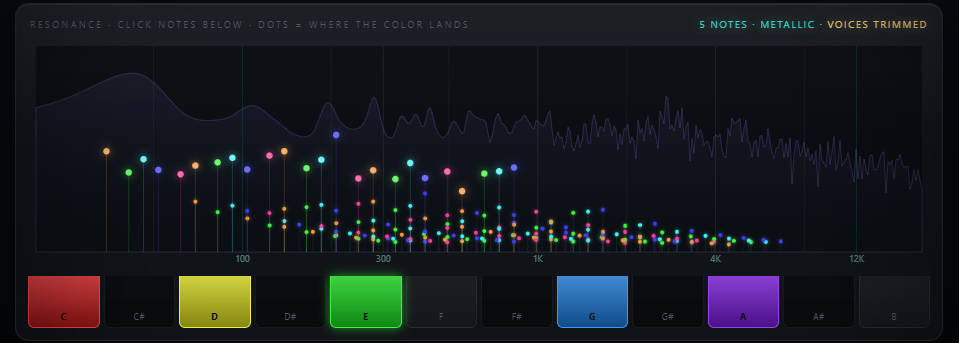
The display at the top shows resonance landing as colored dots on the spectrum — watch them spread apart as Color rises. Below it, the 12-key keyboard is how you choose which pitch classes ring. Click a key to light it, click again to release it.
2
Root, Octave & Tune
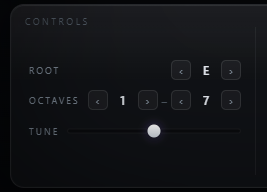
These three controls transpose and voice whatever you've lit on the keyboard, without needing to re-click a single key.
Root
12 keys
Transposes the whole lit set to a new key.
Octave Lo / Hi
0 – 8 each
Sets how many octaves the lit pitch classes span — tight or wide.
Tune
±50 cents
Fine-tunes the whole set to match a detuned source.
3
Focus, Attack & Decay
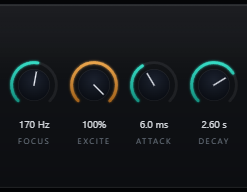
These shape the resonance itself — where it starts in frequency, and how it moves in time.
Focus
20 – 1000 Hz
The crossover. Only frequencies above Focus get resonated — the bass control that keeps the sub clean.
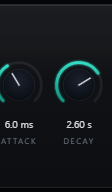
Attack
0 – 500 ms
Onset time per voice. Zero for a plucky, transient-tracking stab; longer for a slow swell.
Decay
0.05 – 8 s
Ring length. Short for a percussive hit, long for a sustained wash.
4
Color, Damp, Spread & Bloom
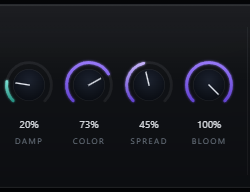
These four define the character of the ring itself.
Color
0 – 100%
The money knob. Low is glassy and harmonic; high stretches partials into metallic, bell-like territory.
Damp
0 – 100%
Ring brightness — low keeps it shimmering, high mellows the decay into something darker.
Spread
0 – 100%
Widens the resonance across the stereo field, tapered off under 120 Hz to stay mono-safe.
Bloom
0 – 100%
Wet-only diffusion shimmer. Defaults to 0%, which is bit-exact bypassed — opt in for a lusher wash.
5
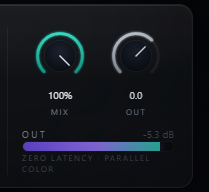
Mix & Output
The final blend, on the right-hand side of the plugin.
Mix
0 – 100%
Equal-power dry/wet blend. At 0%, the output is bit-identical to the dry input.
Output
−24 to +12 dB
Post-mix trim for level-matched A/B against bypass.
Typical Workflow
A
Light a Chord and Set Focus
Insert Grackle on a bass, synth, or drum bus. Light your track's root and a fifth (or a full chord) on the keyboard, matching Root to the key. Set Focus above the sub's fundamental so the low end stays untouched.
B
Shape the Envelope
Dial Attack and Decay for the shape of the ring — short and plucky for a percussive color hit, or long for a sustained bloom.
C
Dial In Color
Push Color toward metallic for bell-like color bass, or keep it low for a glassy, harmonic shimmer that sits naturally under the source. Watch the dots spread on the spectrum as you turn it.

D
Balance and Finish
Balance the effect with Mix, try a touch of Bloom for extra wash if the track calls for it, and trim Output to match bypass level for a fair comparison.