Video Walkthrough
Per-bin spectral delay with a 512-point drawable curve, feedback resonance, and harmonic or linear spectral shift. Every band, its own echo. · Watch on YouTube ↗
What Curlew does: Curlew runs a 1024-point, 8×-overlap STFT and delays every FFT bin by its own whole number of spectral frames — up to 128 frames, roughly 371 ms at 44.1 kHz. The per-bin delay amount is a curve you draw by hand on a log-frequency axis, or generate with the built-in tools. A second curve, Regen, feeds delayed bins back into the spectral history for per-band resonance, and a third, Shift, moves each of those repeats to a new place in the spectrum — by a musical interval, or by a fixed number of bins.
Interface Overview
1
The Curve Graph
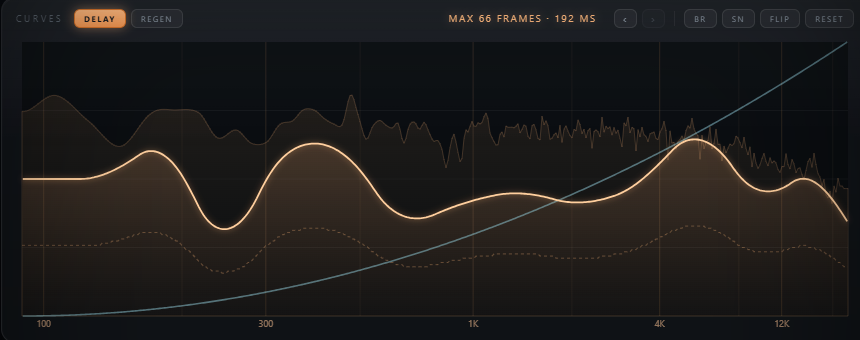
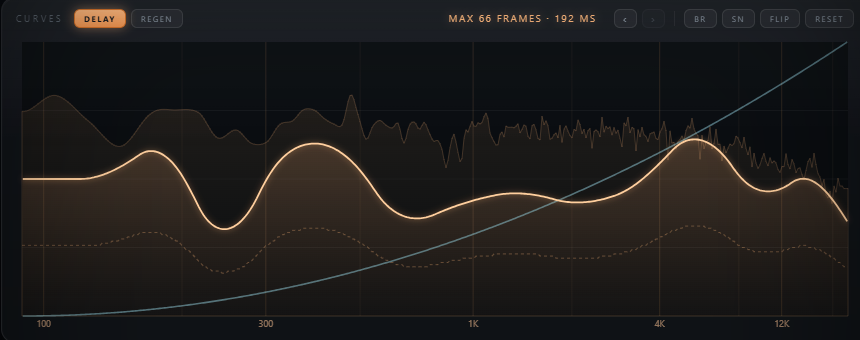
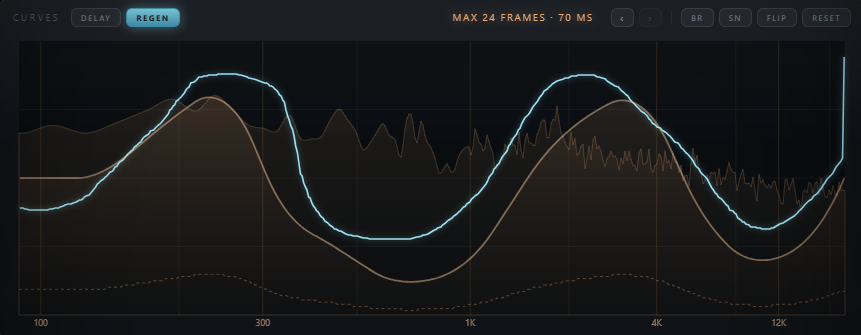
The graph is the plugin. The DELAY and REGEN chips above it pick which of the two curves you're currently editing — both stay visible on the graph at all times, with the active one highlighted. Click and drag anywhere on the graph to draw. A live output spectrum sits behind the curves so you can see exactly which bands you're affecting.
2
Curve Tools
Four buttons generate a fresh curve instantly, and two history chips step back through what you've drawn. Every generated curve stays editable by hand afterward.
BR
Brown Walk
A free-running brown-noise random walk across the whole curve — organic, wandering delay amounts.
SN
Smooth Noise
A slid, overdriven random curve — rounder and smoother than the brown walk.
FLIP
Invert
Flips the active curve top to bottom in one click.
RESET
Falling Ramp
Restores the default curlew's-bill falling ramp the plugin is named for.
‹ › History
5 steps
Step back and forward through your last five curves. Buttons grey out when there's nothing to step to.

3
Amount & Regen Sliders
The two sliders under the graph scale the two curves. Drag to set a value, hold Shift for fine control, or double-click to reset to off.
Amount
0 – 100%
Scales the drawn DELAY curve. This is the only parameter automatable from the original patch.
Regen
0 – 100%
Scales the REGEN feedback curve.
0% is true bypass — the resonance layer never runs.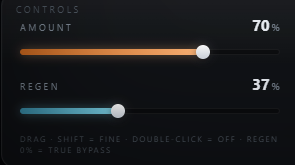
4
Shift
Shift decides where each echo generation lands. Without it, Regen feeds every bin straight back into itself and the repeats stay put; with it, they migrate through the spectrum. Needs Regen above 0 — with no repeats there is nothing to move.
Shift
−24 – +24
How far each repeat moves: semitones in HARM, bins in LIN. Defaults to
0, which is completely inert — at zero the engine takes the original injection path.HARM / LIN
chip toggle
HARM moves by a pitch ratio, so the interval is identical on every note — shimmers and risers that stay in key. LIN moves by a fixed number of bins, which is a fixed Hz offset and so a different interval per note — metallic and clangy on purpose.
SHIFT curve
violet, 512 points
A per-band amount for the knob, flat at full by default so every band shifts fully. It only ever scales the knob back — draw a band down to hold it still, e.g. pin the sub while the harmonics walk off the top.
Bin size
43.07 Hz @ 44.1k
What one LIN step is worth. At 43 Hz that is an octave; at 55 Hz the same one-bin move is a flat seventh — which is exactly why LIN is inharmonic.
5
Preshift & Output Meter
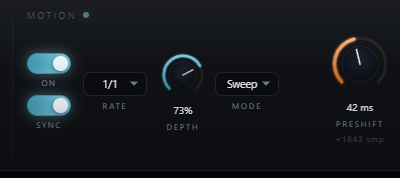
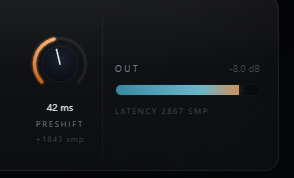
Preshift reports extra latency to the host so fast-moving bands can land ahead of the beat instead of behind it. The meter on the right shows output level and the plugin's total reported latency.
Preshift
0 – 4096 samples
Saved with the session but not automatable — hosts don't like mid-play latency changes. Sets the curve's new zero line.
Latency Readout
1024 smp base
The engine's fixed STFT latency, before Preshift is added on top.
Typical Workflow
A
Set a Base Curve
Insert Curlew on a channel and start from RESET's falling ramp — lows lag behind highs, the plugin's signature default. Raise Amount to hear the effect strengthen.
B
Draw or Generate a Shape
Draw directly on the graph for precise control, or try BR or SN for a randomized starting point, then FLIP it or keep editing by hand. Step through
‹ › history to compare recent takes.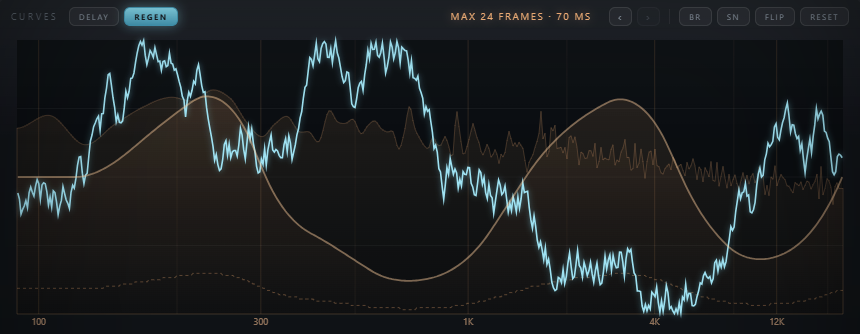
C
Add Regen Resonance
Click the REGEN chip to switch to the second curve, then raise the Regen slider. Each delayed band starts feeding back into itself — start low and add width gradually; the default curve keeps the low end sub-safe.
D
Add Shift, Then Fine-Tune Timing
With Regen up, raise Shift and let the repeats climb — HARM for a shimmer that stays in key, LIN for metallic clang. Draw the violet SHIFT curve down over any band you want held still. Finally, dial in Preshift if you want the fastest bands landing ahead of the beat rather than behind it.